Small businesses need practical tools
Many small business tasks are simple but urgent. You need to send an invoice, compress a PDF, resize an image, create a QR code, or reduce a video before uploading it to a marketplace. A full software suite is often too much. A free online tool is faster, but upload-based tools are not always appropriate.
Local browser tools fit the middle ground. They are quick like online tools, but many tasks can run on your device without creating an account.
Workflow 1: Create an invoice without an account
Use Invoice Generator when you need a simple invoice PDF quickly.
Good practice:
- Keep your business details consistent.
- Check tax labels before sending.
- Save a copy of the PDF.
- Avoid putting unnecessary personal notes in the invoice.
An invoice generator should not require account creation for a one-off document. For recurring invoicing, accounting software may still be better.
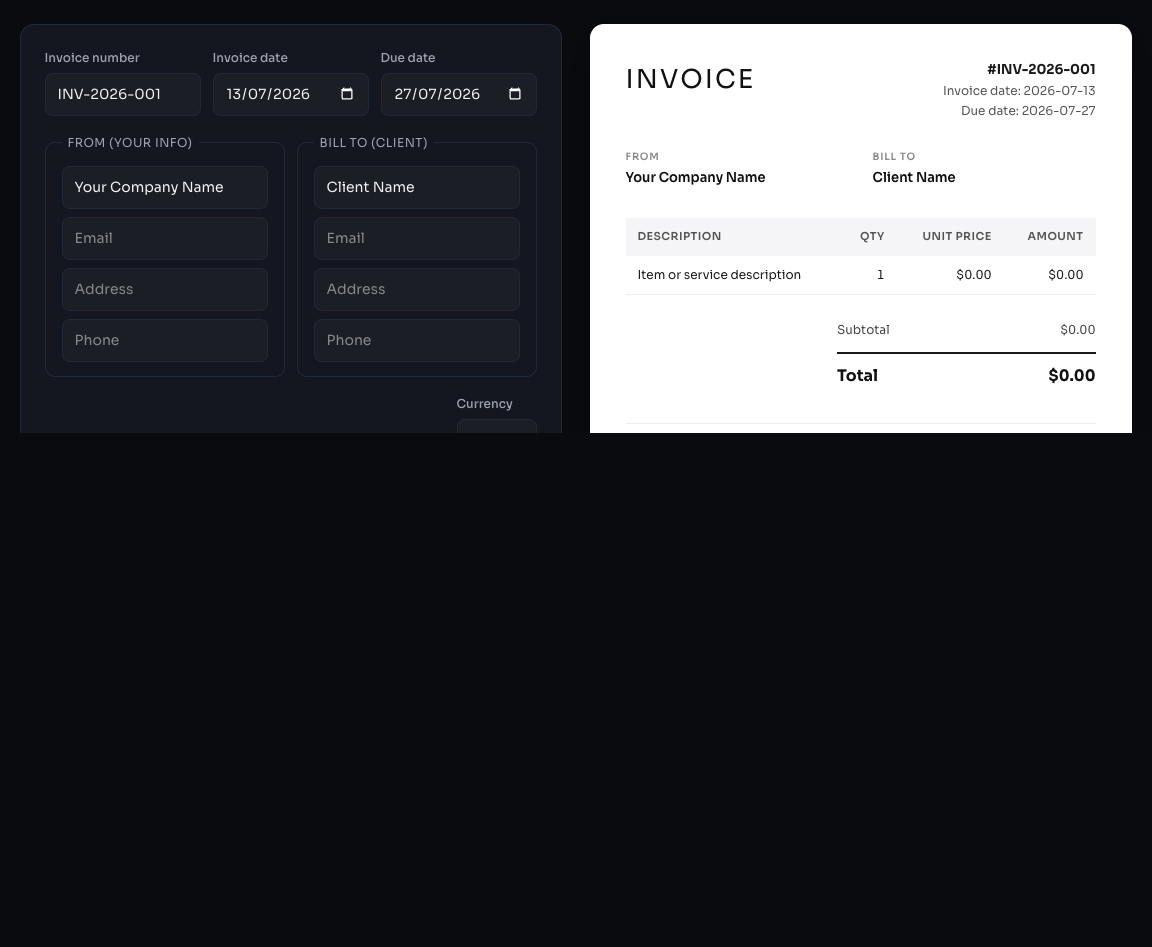
The live preview lets you check business details and totals before exporting the invoice.
Workflow 2: Prepare documents for email
If a client portal or email provider rejects a document, use PDF Compressor to reduce the file size. If only part of the document is too large, split and recombine the file with PDF Split and PDF Merge.
Always check the final document before sending. Page order, signature readability, and text clarity matter more than file size alone.
Workflow 3: Make images lighter
Large product photos slow down websites and listings. Use Image Compress before uploading them to a store, website, or email campaign.
Recommended targets:
| Image use | Practical size |
|---|---|
| Product listing | 200 KB to 800 KB |
| Blog image | 100 KB to 400 KB |
| Email image | Under 300 KB |
| Full hero image | Under 1 MB |
Use WebP where your platform supports it. Keep JPEG for maximum compatibility.
Workflow 4: Create QR codes for printed material
Use QR Code Generator for menus, flyers, event check-ins, and payment links. Before printing, test the QR code on at least two phones. Print quality, size, and contrast can affect scanning.
Use a short URL where possible. A shorter URL creates a simpler QR pattern, which is easier to scan.
Workflow 5: Compress short videos
Use Video Compressor when a short clip is too large for a form, marketplace, or messaging app. Browser-based video processing can be slower than cloud tools, but it avoids account creation and upload-based processing for simple files.
If the video is very large or needs professional editing, use desktop video software instead.
Choosing the right tool
Ask three questions before using any online tool:
- Does this file contain sensitive information?
- Does the tool explain whether the file is uploaded?
- Can I verify the output before sending or publishing it?
If the answer to the first question is yes, prefer a local browser tool or desktop software.
A five-minute verification routine
Before adopting a tool for business use, try it with sample information. Confirm that the output opens correctly, totals and dates remain accurate, and the browser Network panel does not show the selected file being uploaded. Keep the original file and verify the downloaded result before sending it to a customer. Our testing methodology documents the same checks in more detail.
Bottom line
Small businesses do not need a new account for every small file task. Use local browser tools for quick, low-friction work, and reserve cloud platforms for collaboration, storage, and workflows that genuinely need an account.